
6 Best CoCounsel Alternatives for 2026
.jpeg)


The best CoCounsel alternatives split by the work they are built for: case law research, enterprise workflows, or contract drafting and review. CoCounsel bundles its strongest features with Westlaw, so the right alternative often depends on which library you already pay for.
Key takeaways
- CoCounsel is a legal research platform from Thomson Reuters. The strongest tier, CoCounsel Legal, carries the Westlaw and Practical Law libraries with it, which is why per-user cost lands well above single-purpose tools.
- Teams leave CoCounsel for three reasons: they already pay for a different research library, they need enterprise workflow automation CoCounsel does not cover, or their real work is contracts rather than research.
- The six options below are Spellbook, Harvey, Lexis+ AI, Legora, LegalOn, and Paxton AI. Each is matched to a use case rather than ranked on a single scale.
- Published per-user costs range from roughly $250 per seat per month at the low end to roughly $1,500 at the top. Cheaper is not the same as better fit.
Why do teams look for a CoCounsel alternative?
From Casetext to a Thomson Reuters front end
CoCounsel began as Casetext, which Thomson Reuters acquired in 2023 and folded into its own content stack. That history matters, because the product a team evaluates today is no longer a standalone assistant. It is the front end to a Thomson Reuters subscription.
What CoCounsel Core and CoCounsel Legal mean
The naming reflects this. CoCounsel Essentials is the assistant on its own. CoCounsel Legal is the full tier that includes Deep Research, agentic workflows, and access to both Westlaw and Practical Law. Buyers searching for "CoCounsel Core" are usually looking for the entry tier, which Thomson Reuters now lists as Essentials.
Three reasons teams switch
Three patterns drive the search for an alternative.
The first is library duplication. A firm standardized on LexisNexis is paying for Westlaw content it will not use.
The second is scope. CoCounsel is built to help lawyers research legal questions and analyze documents, not to support contract negotiation end to end.
The third is measured performance on specific tasks. In the Vals Legal AI Report published in February 2025, CoCounsel scored 78.0 on chronology generation against a lawyer control group baseline of 80.2, and it did not enter the redlining, transcript analysis, or EDGAR research tasks at all, EDGAR being the Securities and Exchange Commission filings database. The report is a useful corrective to vendor claims in both directions: solid results in document-heavy research work, and no measured result in contract redlining.
CoCounsel alternatives at a glance
| Tool | Best for | Standalone or bundled | Published cost |
|---|---|---|---|
| Spellbook | Contract drafting, review, and negotiation | Standalone | Quote-based; 7-day trial |
| Harvey | Enterprise workflows and multi-step diligence | Standalone | Quote-based; ~$1,200 to $1,500 reported |
| Lexis+ AI | Firms standardized on LexisNexis rather than Westlaw | Bundled with LexisNexis | Quote-based; ~$125 to $275 estimated as an add-on |
| Legora | Multi-jurisdiction review across large document sets | Standalone | ~$250 per seat per month, ten-seat minimum |
| LegalOn | Contract review against built-in playbooks | Standalone | $550 per month, billed annually |
| Paxton AI | Standalone research with no bundle or seat minimum | Standalone | $499 per user per month |
| CoCounsel (for reference) | Legal research grounded in Thomson Reuters content | Bundled | ~$293 to $492 per user per month |
Cost figures are per-user equivalents drawn from published rates and third-party estimates. CoCounsel figures come from the Thomson Reuters configurator at a consistent setting of five attorneys, All States and Federal jurisdiction, on a one-year term. Confirm current pricing with each vendor at the quote stage.
1. Spellbook: best for contract drafting and review
Spellbook is an AI suite for commercial lawyers, built for the work that happens after the research is done: drafting agreements, reviewing incoming paper, redlining against a position, and negotiating to signature.
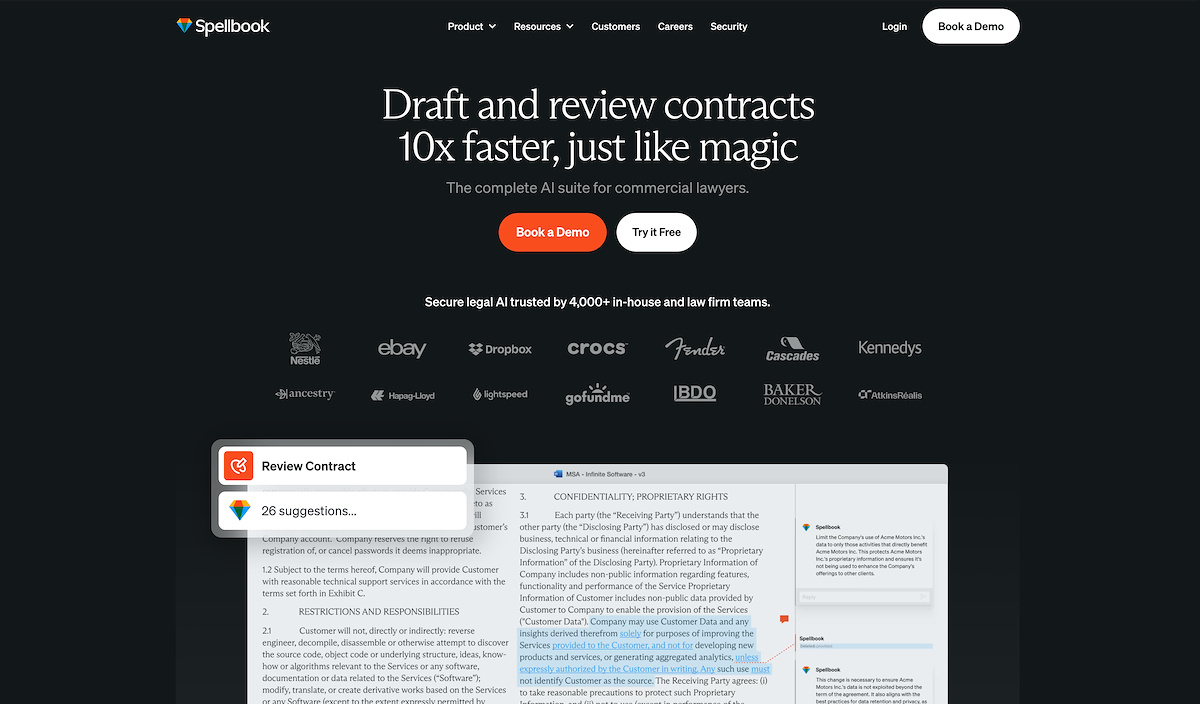
The distinction from CoCounsel is one of purpose rather than quality. CoCounsel is built to help lawyers find and analyze law. Spellbook is built to produce and negotiate contracts, and it benchmarks clause positions against aggregated market data so a reviewer can see whether a term sits inside or outside the common range. For teams whose volume is transactional, that is the difference between a tool used occasionally and one used daily. A fuller side-by-side sits in our Spellbook and CoCounsel comparison.
Pros
- Purpose-built for contract drafting, review, and negotiation rather than research
- Clause positions benchmarked against aggregated market data
- Runs in the drafting environment lawyers already use, so adoption does not require a new workflow
- Seven-day free trial, which most platforms in this category do not offer
- Per-seat annual pricing with volume discounts above ten seats
Cons
- Not a case law research platform. Teams that need primary law and citation validation will still need a research subscription
- Pricing is quote-based rather than published, so budgeting requires a sales conversation
- Depth is concentrated in commercial and transactional work, which is a weaker match for litigation-led practices
Pricing: custom quote, per seat and billed annually, with volume discounts at ten seats and above. A seven-day free trial is available.
2. Harvey: best for enterprise workflows and multi-step diligence
Harvey targets large firms and corporate legal departments that want AI embedded across long, multi-step matters rather than applied to single tasks. Harvey's positioning is closer to a digital associate than to a research tool, and it is typically sold alongside an implementation engagement.
Harvey is the most direct substitute for CoCounsel at the top of the market, and it is also the most expensive option here by a wide margin. The seat minimums matter as much as the headline rate, and a team of five sits well below the reported floor. Our CoCounsel and Harvey comparison covers how the two differ on research depth and workflow scope.
Pros
- Broad coverage across diligence, research, drafting, and workflow automation
- Built for long matters that span many documents and multiple steps
- Strong fit for firms that want a single platform rather than several specialized tools
Cons
- Reported at roughly $1,200 to $1,500 per user per month, several times the cost of CoCounsel Essentials
- Seat minimums reported at 25 to 50 users put it out of reach for small firms
- Quote-only pricing with no published rate card or free trial
- Breadth means less depth in contract negotiation than a dedicated contract tool
Pricing: quote-only, reported in the range of $1,200 to $1,500 per user per month, with seat minimums reported at 25 to 50 users. Our Harvey pricing breakdown sets out how those tiers are quoted.
3. Lexis+ AI: best for firms standardized on LexisNexis
For a firm that already runs on LexisNexis, Lexis+ AI is the closest like-for-like swap. The research task is the same, the citation tooling is familiar, and the underlying library is the one the firm already licenses. Choosing it avoids paying twice for overlapping primary law.
The trade-off is that it inherits the same structural issue that sends teams looking for CoCounsel alternatives in the first place. It is an add-on to a research subscription rather than a standalone product, so the total cost includes the platform underneath it. Detail on how the tiers stack sits in our LexisNexis pricing breakdown.
Pros
- Natural fit for firms already standardized on LexisNexis
- Avoids duplicating primary law content the firm already pays for
- Citation validation and research tooling familiar to existing users
- Two-day free trial available
Cons
- Bundled rather than standalone, so it requires an underlying Lexis+ subscription
- Quote-based pricing that varies by scope, which makes budgeting harder
- Same research-first scope as CoCounsel, so it does not help teams whose bottleneck is contract work
Pricing: third-party estimates put the AI add-on at roughly $125 to $275 per user per month on top of an existing subscription, with the full Lexis+ with Protégé bundle estimated between $128 and $494 per user per month.
4. Legora: best for multi-jurisdiction review at volume
Legora is built for reviewing and extracting from large document sets, with particular strength across multiple jurisdictions. Teams running high-volume standardized review, or working across several legal systems at once, get more from it than teams negotiating individual agreements.
The ten-seat minimum makes Legora a team purchase rather than an individual one, which suits departments consolidating review work onto one platform. Where it sits against CoCounsel specifically is covered in our Legora and CoCounsel comparison.
Pros
- Effective on large, standardized document sets
- Multi-jurisdiction coverage suits cross-border work
- Per-seat cost is among the lower published rates in this group
Cons
- Ten-seat minimum puts the annual floor near $30,000, so small teams cannot start small
- Breadth across document sets is wasted on teams whose work is individual agreements
- Less depth in negotiation and redlining than a dedicated contract platform
Pricing: reported at roughly $3,000 per seat per year, or about $250 per seat per month, with a ten-seat minimum. Full detail sits in our Legora pricing guide.
5. LegalOn: best for contract review against built-in playbooks
LegalOn reviews contracts against pre-built standards rather than requiring a team to author its own playbook first. For a small legal function without the time to codify positions, that shortens the path to a usable review workflow considerably.
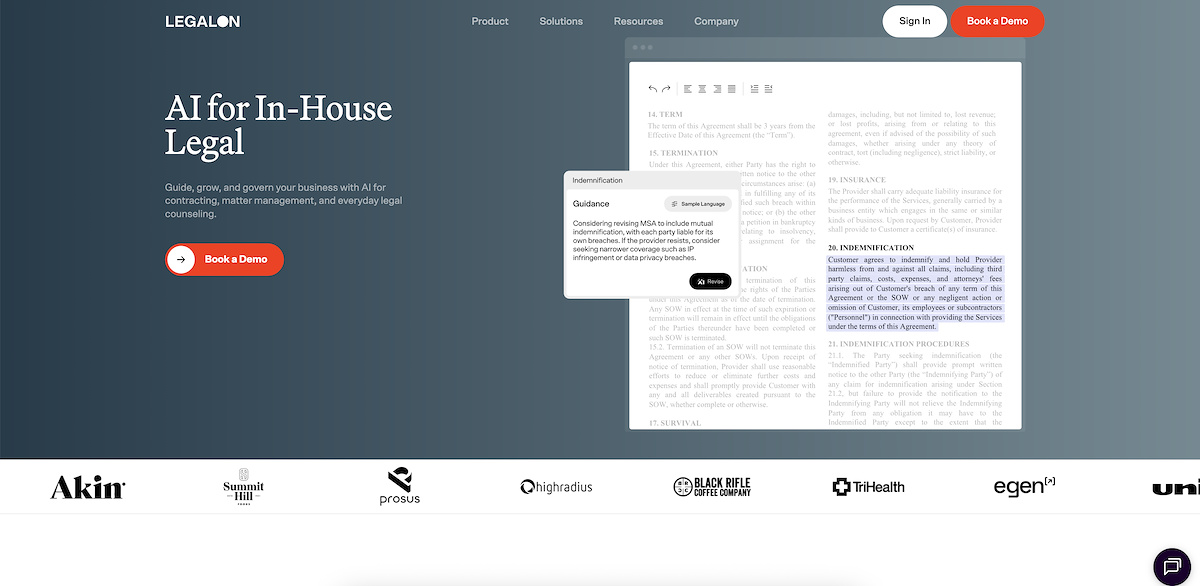
LegalOn sits in the same category as Spellbook, which is worth stating plainly: both are contract specialists rather than research platforms, and a team choosing between them is choosing on review methodology rather than on scope. A team that wants to encode its own negotiated positions will weigh that differently from a team that wants a standard to start from. The contract review process guide covers how playbook-led and market-led review differ in practice.
Pros
- Pre-built review standards remove the setup cost of authoring a playbook
- Published pricing, which is uncommon in this category
- Focused on contract review rather than spread across research and workflow
Cons
- At $550 per month billed annually, cost is hard to justify at low contract volume
- Pre-built standards may not reflect a team's own negotiated positions
- Not a research platform, so it does not replace CoCounsel for case law work
Pricing: the Individual plan is $550 per month, billed annually, for a total of $6,600 per year. Our LegalOn pricing breakdown covers the higher tiers.
6. Paxton AI: best for standalone research without a bundle or seat minimum
Paxton AI is the option for a solo attorney or small firm that wants research and drafting without buying into a bundle. It covers all fifty states, sells a single seat, and bills month to month with no term commitment. That last point is the real differentiator, because CoCounsel is quoted through a configurator priced around a multi-attorney firm on an annual term.
One correction is worth making, because it circulates widely. Paxton AI is often described as the budget option, and against CoCounsel that is not accurate on a per-user basis. The $499 per user per month rate sits above CoCounsel Essentials at roughly $293 per user and marginally above CoCounsel Legal at roughly $492. What it removes is the commitment and the bundle rather than the cost. Our Paxton AI pricing breakdown sets out the plans in full.
Pros
- No seat minimum, so a single attorney can buy one seat
- Month-to-month billing with no term commitment
- Standalone research across all fifty states without an underlying library subscription
- Annual billing reduces the effective rate to $2,999 per user per year
Cons
- At $499 per user per month it costs more per seat than either CoCounsel tier, despite its reputation
- Aimed at solo and small-firm work, so it lacks enterprise workflow features
- Hard to justify at low research volume
Pricing: $499 per user per month on the Individual plan, or $2,999 per user per year billed annually.
How much does CoCounsel cost, and what do the alternatives cost?
CoCounsel pricing by tier
CoCounsel sells through four configurator tiers plus a pay-per-task option. At a consistent setting of five attorneys, All States and Federal jurisdiction, on a one-year term, the published rates are:
| CoCounsel tier | Monthly cost | What it includes |
|---|---|---|
| CoCounsel Essentials | $1,464.00 | AI assistant: document analysis, review, drafting |
| Practical Law Dynamic Tool Set with Essentials | $1,894.40 | Adds Practical Law guides, templates, and checklists |
| Westlaw Advantage with Essentials | $2,091.20 | Adds Westlaw Advantage primary law and KeyCite citation checking |
| CoCounsel Legal | $2,461.60 | Full access: Deep Research, agentic workflows, all content |
Those are firm-level figures, which work out to roughly $293 per user on Essentials and roughly $492 per user on CoCounsel Legal. Multi-year terms reduce the rate by about 12 percent over two years and about 18 percent over three. CoCounsel On Demand, the pay-per-task tier, has no published rate. A fuller breakdown sits in our CoCounsel pricing guide.
What the gap between tiers actually buys
Two things follow for anyone comparing costs. First, the gap between Essentials and CoCounsel Legal is largely content rather than capability, so a firm that already licenses primary law elsewhere is choosing between paying twice and switching. Second, per-user comparisons across this category are unreliable without matching the term and headcount, because most vendors here quote rather than publish.
How to choose a CoCounsel alternative
Start with the bottleneck rather than the feature list.
If the work is research
If the work is finding and validating law, stay in the research category. The question is only which library, and that usually answers itself based on what the firm already licenses. Our guide to AI legal research covers what to test during a trial.
If the work is contracts
If the work is producing and negotiating agreements, a research platform is the wrong category, and buying a cheaper research platform will not fix it. Contract specialists are built for a different task.
If the work spans long matters
If the work spans long, multi-step matters across many documents, enterprise platforms are the fit, provided the seat count clears the minimums. The Harvey alternatives guide covers that tier in more depth.
Free options, and genuinely small budgets
Two practical notes. Free and open-source CoCounsel alternatives do circulate, and they are worth understanding. Self-hosting a model for privileged client material introduces confidentiality, retention, and security obligations most firms are not equipped to take on. Treat those options as an experiment rather than a production plan.
If the requirement is genuinely a low budget rather than a different capability, the honest answer is a narrower tool matched to the actual task. A discounted research platform does not solve a contract problem. Our overview of legal AI tools maps the categories.
If the team is in-house
For in-house teams the calculus differs again, since the volume is usually contract throughput rather than case law. Departments tend to measure success on contract throughput and cycle time rather than on research depth, which changes both the shortlist and the business case. That comparison is set out in our GC AI and CoCounsel breakdown. The same logic applies to the shortlist above: an in-house team should weigh the contract specialists first and treat research depth as a secondary requirement rather than the deciding one.
See where your positions sit against the market
Reviewing a contract is faster when you can see whether a clause sits inside or outside the common range, instead of relying on recall. Spellbook benchmarks positions against aggregated market data so reviewers can judge a term against what is actually being agreed.
Frequently asked questions
What is the best alternative to CoCounsel?
There is no single best alternative, because CoCounsel spans research, document analysis, and drafting. For case law research, Lexis+ AI is the closest swap for firms on LexisNexis. For enterprise workflows, Harvey is the nearest equivalent. For contract drafting, review, and negotiation, Spellbook is built for that work specifically. Teams weighing the research option in more detail can start with our LexisNexis alternatives guide.
Is CoCounsel the same as Casetext?
CoCounsel began as Casetext, which Thomson Reuters acquired in 2023. The product has since been rebuilt around Thomson Reuters content, so the current tiers carry Westlaw and Practical Law access rather than operating standalone.
What is CoCounsel Core?
Buyers searching for CoCounsel Core are generally looking for the entry tier. Thomson Reuters now lists that tier as CoCounsel Essentials, which is the AI assistant without the bundled Westlaw and Practical Law libraries.
Is there a free CoCounsel alternative?
Free and open-source options exist, and some are capable at general document work. They carry a meaningful caveat for legal use: running client material through a self-hosted or free tool shifts responsibility for confidentiality, retention, and security onto the firm. For privileged work, most firms will want a vendor contract and a security review rather than a free tool.
Does CoCounsel do contract redlining?
CoCounsel supports document review and drafting, but contract redlining is not its primary design target, and it did not enter the redlining task in the Vals Legal AI Report. Teams whose main work is negotiating agreements generally pair it with, or replace it by, a contract-focused platform.
How does CoCounsel compare to Vincent AI?
Both are research platforms, and the difference is the library each one draws on. That comparison is covered in our CoCounsel and Vincent AI breakdown.
How we compared these tools
Every tool here was assessed on the same five dimensions: the work it is built for, whether it is sold standalone or bundled with a content library, published or credibly reported pricing at a consistent setting, the constraints that determine whether a given team can actually buy it including seat minimums and term commitments, and how the vendor handles client data.
That last dimension is the one buyers most often leave until contracting, and it is worth raising in the first call. Ask where data is stored, whether client material is used to train models, what the retention period is, and whether the vendor will complete a security review.
Pricing was taken from published vendor rates where they exist and from third-party estimates where they do not, and each is labelled accordingly. CoCounsel figures use one consistent configurator setting so tiers can be compared against each other. Rates change, and quote-based pricing varies by scope, so confirm current figures with each vendor before making a decision.
.png)
%20(1).png)
.png)
Get buy-in, compare platforms, and make AI stick.



Submission Received
Thank you for your interest!
.svg)
